Matchbot

Matchbot

Matchbot

Effortless esports management, powered by a seamless, all-in-one platform.

Effortless esports management, powered by a seamless, all-in-one platform.

Effortless esports management, powered by a seamless, all-in-one platform.

My role

Primary & Secondary Research

Visual Design

UX Strategy

User Flows

Design Systems

Rapid Prototyping

Year

2024

Category

Events/ Esports

timeline

8 months

at a glance
at a glance
at a glance

Matchbot is a platform designed to simplify esports event management by bringing everything organizers and players need into one seamless experience. It helps tournament organizers create, manage, and promote events, while making it easier for players to discover, register, and participate in competitions.


Unlike fragmented solutions that require juggling multiple platforms, Matchbot integrates with Discord, providing automated lobby management and real-time updates to keep players engaged. Whether it’s running tournaments, organizing community-driven events, or improving discoverability.

Matchbot streamlines the entire experience—making esports more accessible, scalable, and engaging.

Context
Context
Context

Esports is growing rapidly, but behind the scenes, event management is anything but seamless. Organizers juggle multiple disconnected tools for scheduling, communication, and player management, while players struggle to find, join, and stay engaged in tournaments. This fragmented experience leads to inefficiencies, low retention, and lost opportunities for growth.

Matchbot was built to solve this.

It’s an all-in-one platform that simplifies tournament creation, improves event discoverability, and helps organizers and players connect more easily—turning chaos into clarity.


As a designer on Matchbot, my goal was to tackle a key problem in esports: event management was chaotic and disconnected. Beyond designing a seamless platform to streamline events, I brought a fresh perspective to identify gaps and opportunities, ensuring the product evolved at every stage.

Working closely with another designer, the CEO, and a PM, I helped shape intuitive user experiences before handing them off to developers.


Esports is growing rapidly, but behind the scenes, event management is anything but seamless. Organizers juggle multiple disconnected tools for scheduling, communication, and player management, while players struggle to find, join, and stay engaged in tournaments. This fragmented experience leads to inefficiencies, low retention, and lost opportunities for growth.

Matchbot was built to solve this.

It’s an all-in-one platform that simplifies tournament creation, improves event discoverability, and helps organizers and players connect more easily—turning chaos into clarity.


As a designer on Matchbot, my goal was to tackle a key problem in esports: event management was chaotic and disconnected. Beyond designing a seamless platform to streamline events, I brought a fresh perspective to identify gaps and opportunities, ensuring the product evolved at every stage.

Working closely with another designer, the CEO, and a PM, I helped shape intuitive user experiences before handing them off to developers.


Esports is growing rapidly, but behind the scenes, event management is anything but seamless. Organizers juggle multiple disconnected tools for scheduling, communication, and player management, while players struggle to find, join, and stay engaged in tournaments. This fragmented experience leads to inefficiencies, low retention, and lost opportunities for growth.

Matchbot was built to solve this.

It’s an all-in-one platform that simplifies tournament creation, improves event discoverability, and helps organizers and players connect more easily—turning chaos into clarity.


As a designer on Matchbot, my goal was to tackle a key problem in esports: event management was chaotic and disconnected. Beyond designing a seamless platform to streamline events, I brought a fresh perspective to identify gaps and opportunities, ensuring the product evolved at every stage.

Working closely with another designer, the CEO, and a PM, I helped shape intuitive user experiences before handing them off to developers.


objective
objective
objective

The project focused on designing an intuitive platform to simplify esports event management. This included:

  • Integrating with Discord for seamless community engagement.

  • Building a design system to ensure consistency and accelerate development.

  • Prioritizing core features for a functional MVP.

The goal was to deliver a simple yet powerful experience that balanced usability with future growth.
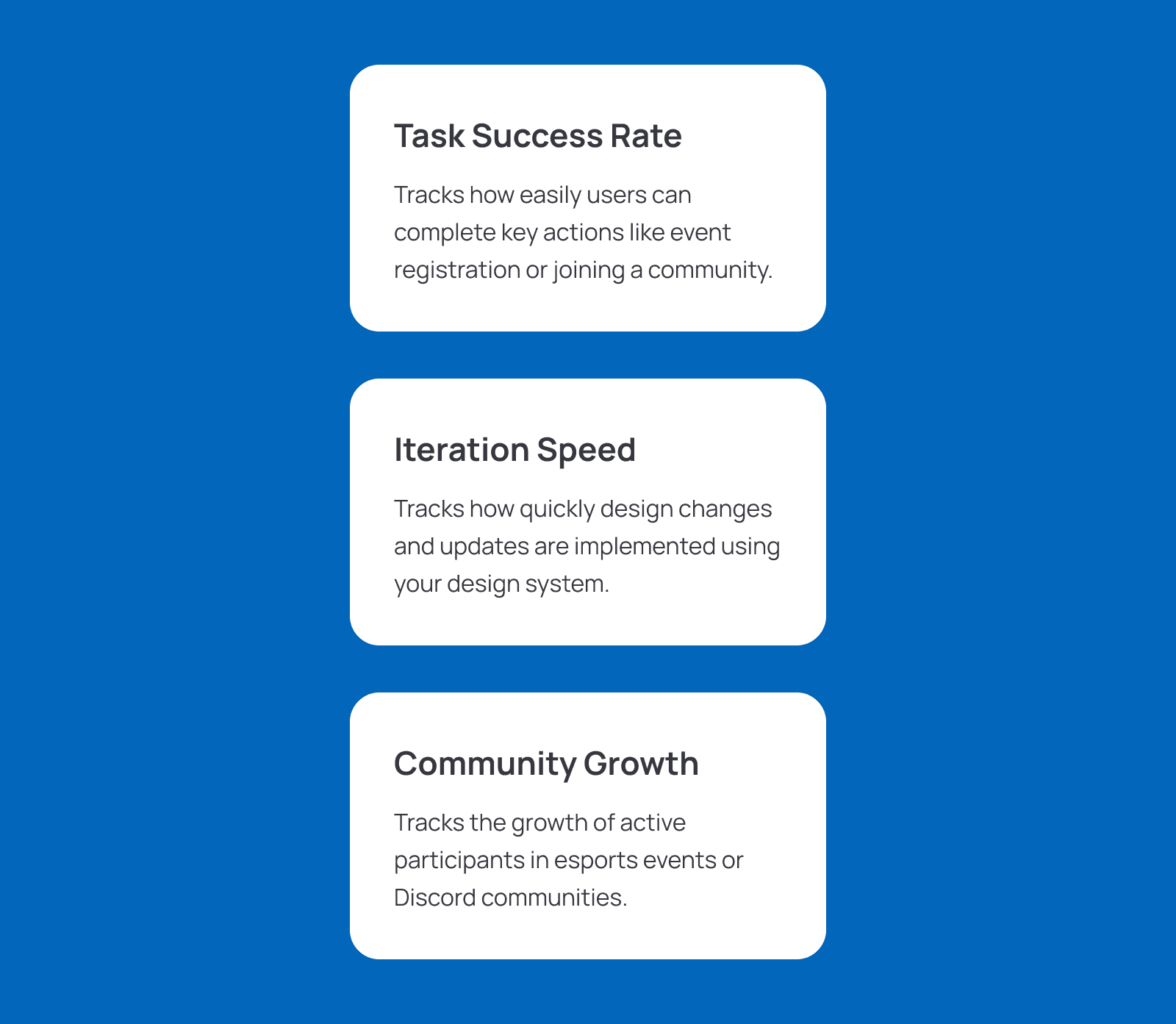
KPIS
KPIS
KPIS
pROCESS
Research

Competitive Analysis

Functional Analysis

Functional Analysis

Information Architecture

Prototyping

Userflows

Iterative Wireframes

Functional Prototypes

Visual Design

Visual Concepts

UI Components

Design Systems

Interactive Prototypes

testing

Internal A/B Testing

QA

Discovery
Discovery
Discovery

I’ve always been a casual gamer, but I never realized how massive and complex the esports world was—until I started digging deeper.
The more I researched, the more gaps I uncovered.

I’ve always been a casual gamer, but I never realized how massive and complex the esports world was—until I started digging deeper.
The more I researched, the more gaps I uncovered.

I’ve always been a casual gamer, but I never realized how massive and complex the esports world was—until I started digging deeper.
The more I researched, the more gaps I uncovered.

80%

of organizers juggled multiple disconnected tools just to run a single event

65%

of players missed out on tournaments simply because they couldn’t find them

Even community-driven events, a core part of gaming culture, were scattered across different platforms.

problem space
problem space
problem space

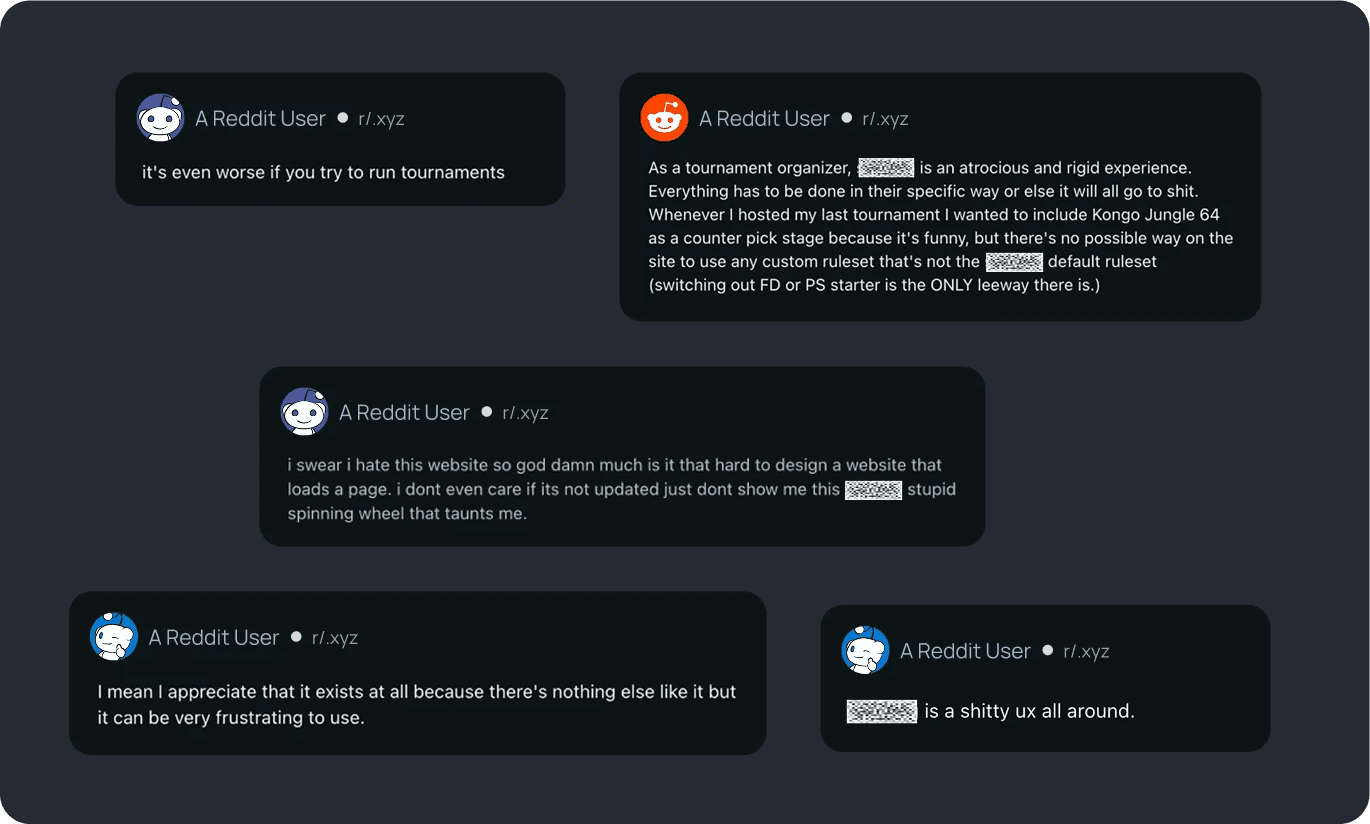
Through research, I identified five key challenges:

Through research, I identified five key challenges:

Through research, I identified five key challenges:

Too Many Tools, Too Much Hassle

Organizers juggle multiple platforms for event setup, communication, and payments, making everything more complicated than it should be.


Scalability Struggles

Whether it's a small community tournament or a global championship, existing platforms lack flexibility to support different event types and sizes.


Poor Player Experience

Players struggle to find events that match their interests, leading to low engagement and missed opportunities.

Slow, Inefficient Data Management


Real-time updates are crucial in esports, yet most platforms lack tools for smooth live event coordination.


Limited Monetization Options


Real-time updates are crucial in esports, yet most platforms lack tools for smooth live event coordination.


This fragmented system was hurting esports communities—making it harder for organizers to scale and for players to stay engaged. Matchbot set out to fix this.

Content

Design Principles
Design Principles
Design Principles

To address the challenges we uncovered, we established core design principles that would guide our decisions. Our hypothesis was that by following these principles, we could simplify event management, boost player engagement, and create a more intuitive experience.

To address the challenges we uncovered, we established core design principles that would guide our decisions. Our hypothesis was that by following these principles, we could simplify event management, boost player engagement, and create a more intuitive experience.

To address the challenges we uncovered, we established core design principles that would guide our decisions. Our hypothesis was that by following these principles, we could simplify event management, boost player engagement, and create a more intuitive experience.

Reduce Complexity

Make workflows effortless by removing unnecessary steps and streamlining interactions for both organizers and players.

Build for Engagement

Encourage players to stay active beyond sign-ups through better discovery, social interactions, and community-driven events.

Guide Users Through the Experience

Each step should be clear and actionable, ensuring that users never feel lost or overwhelmed.

Keep It Fast & Frictionless

Actions like joining a tournament or setting up an event should be quick and seamless, reducing drop-off rates.

User flow for event and community discovery
Designing and prototyping

The design process is never a straight path. Each feature went through multiple iterations before reaching its final form. To ensure the best possible outcome, I followed a collaborative approach—presenting stakeholders with two well-thought-out versions for every key decision. This not only encouraged meaningful discussions but also led to stronger, more refined solutions.

The design process is never a straight path. Each feature went through multiple iterations before reaching its final form. To ensure the best possible outcome, I followed a collaborative approach—presenting stakeholders with two well-thought-out versions for every key decision. This not only encouraged meaningful discussions but also led to stronger, more refined solutions.

The design process is never a straight path. Each feature went through multiple iterations before reaching its final form. To ensure the best possible outcome, I followed a collaborative approach—presenting stakeholders with two well-thought-out versions for every key decision. This not only encouraged meaningful discussions but also led to stronger, more refined solutions.

Here’s an example of how versioning shaped the final design for Dashboard:
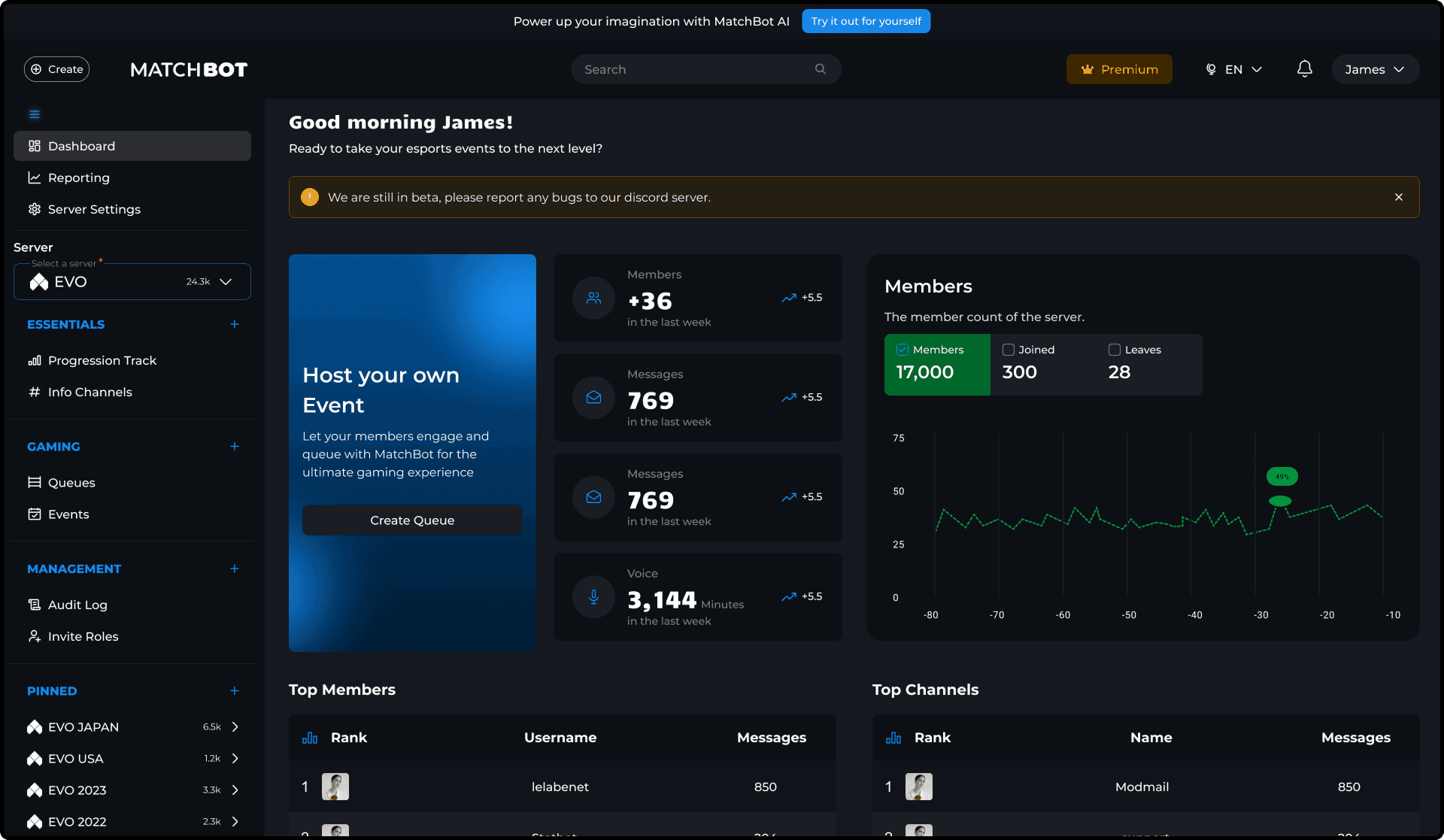
version 1
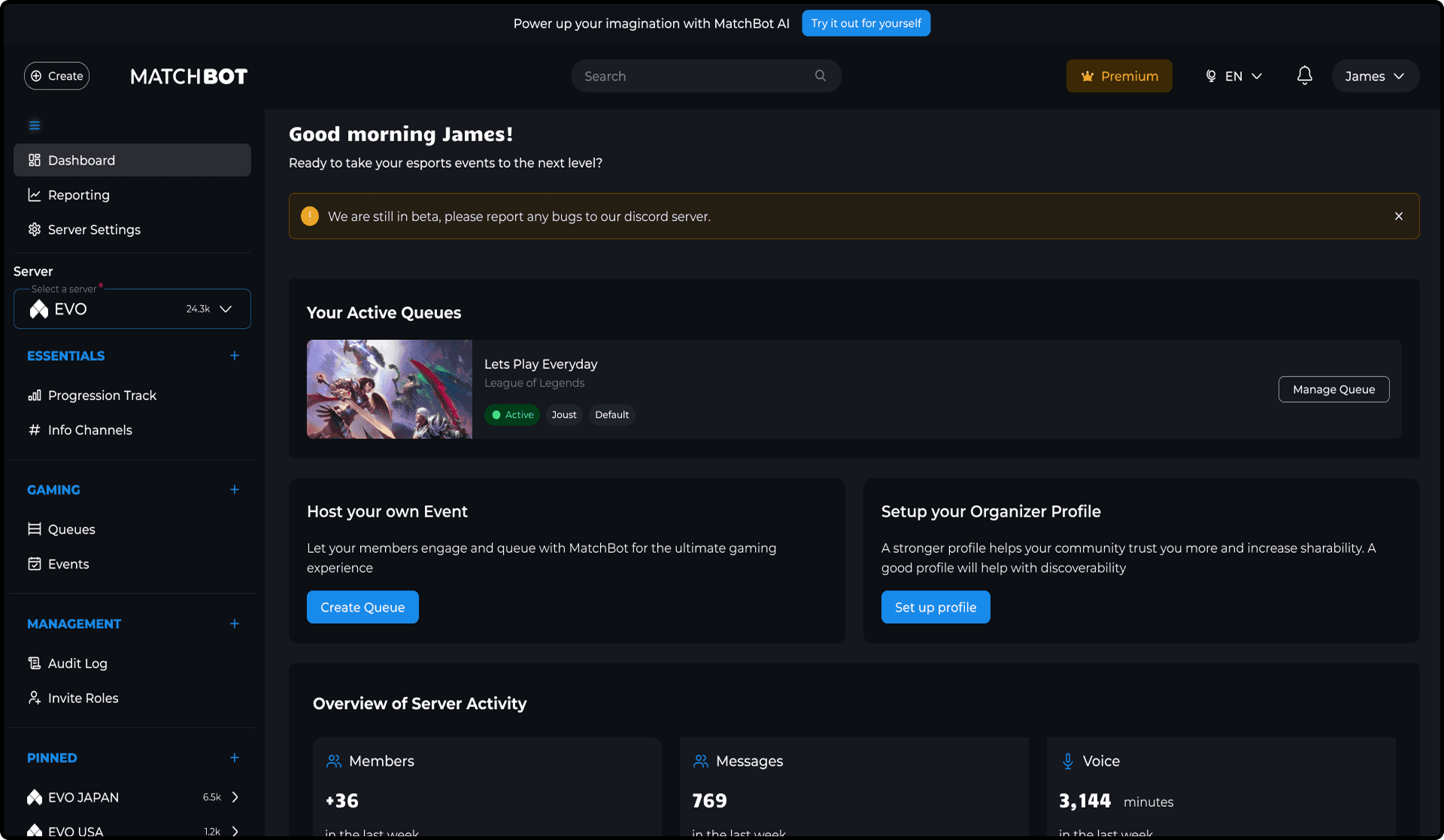
version2
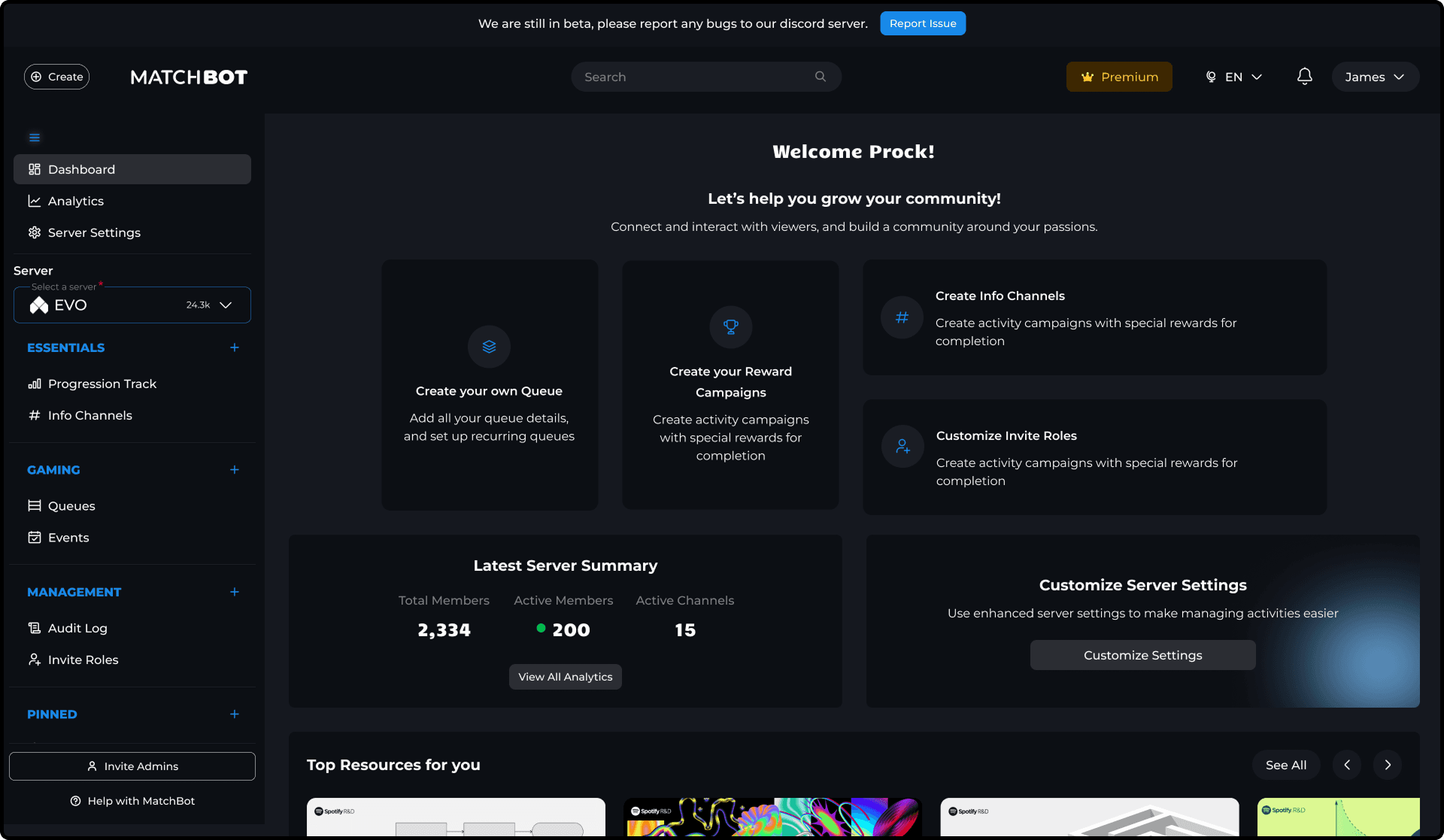
After conducting research for the dashboard, we explored 2-3 different versions before finalizing the design.

Our goal was to balance simplicity with scalability, ensuring the MVP could be launched efficiently while still delivering meaningful value to users.

The final version prioritized a clean, intuitive experience while leaving room for future expansion.

After conducting research for the dashboard, we explored 2-3 different versions before finalizing the design.

Our goal was to balance simplicity with scalability, ensuring the MVP could be launched efficiently while still delivering meaningful value to users.

The final version prioritized a clean, intuitive experience while leaving room for future expansion.

Final Version

Things That Didn’t Work

We initially designed a detailed marketing landing page packed with relevant information. However, it didn’t work as intended due to several challenges:

  • The product was still in development, making it difficult to craft the right messaging and visuals.

  • The internal team struggled to manage and update the page due to limited resources and technical constraints.

  • AI-generated graphics didn’t meet our quality standards, and we lacked the time to create custom visuals.

  • Our branding was still evolving, leading to inconsistencies in tone and design.
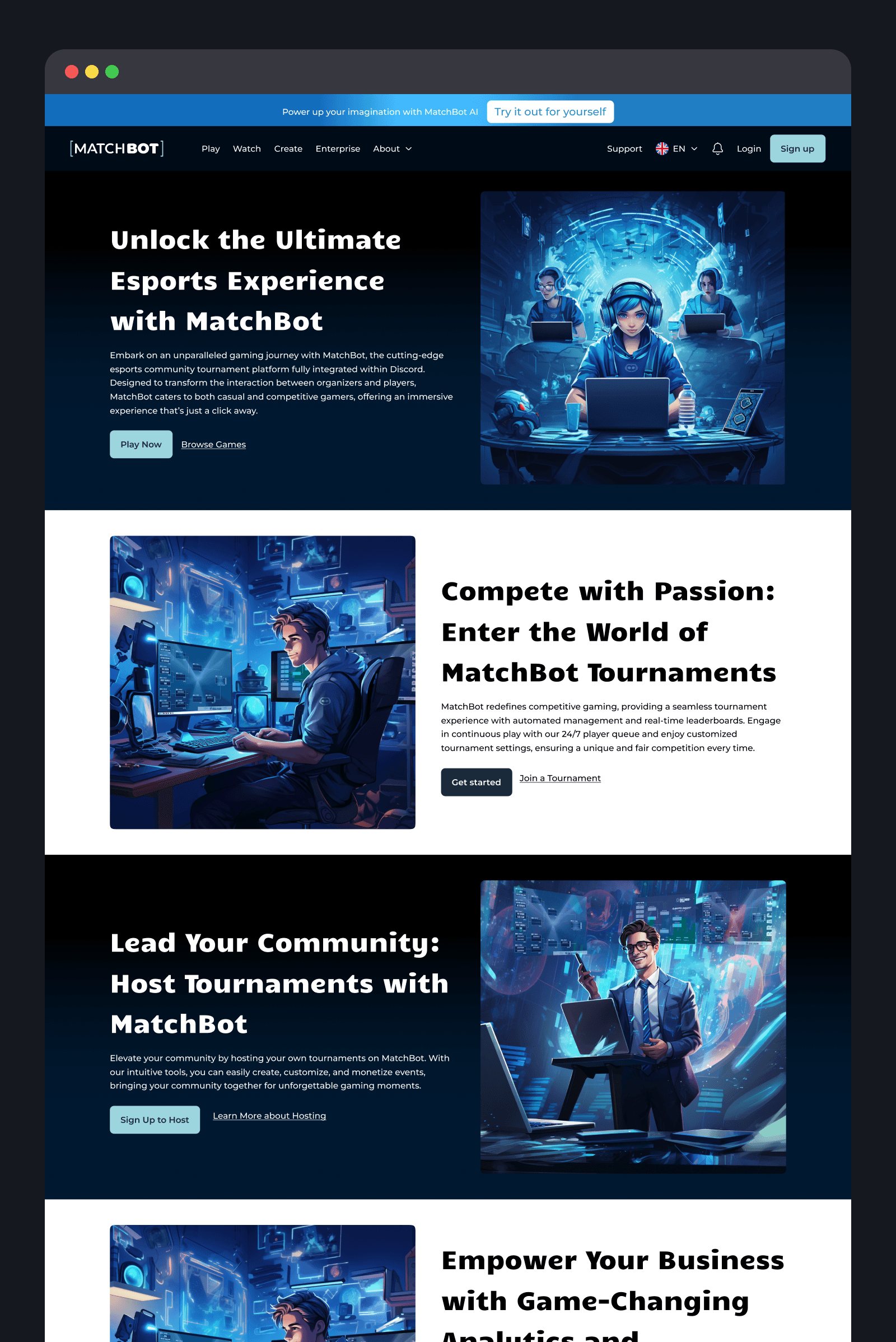
We initially designed a detailed marketing landing page packed with relevant information. However, it didn’t work as intended due to several challenges:

  • The product was still in development, making it difficult to craft the right messaging and visuals.

  • The internal team struggled to manage and update the page due to limited resources and technical constraints.

  • AI-generated graphics didn’t meet our quality standards, and we lacked the time to create custom visuals.

  • Our branding was still evolving, leading to inconsistencies in tone and design.

We initially designed a detailed marketing landing page packed with relevant information. However, it didn’t work as intended due to several challenges:

  • The product was still in development, making it difficult to craft the right messaging and visuals.

  • The internal team struggled to manage and update the page due to limited resources and technical constraints.

  • AI-generated graphics didn’t meet our quality standards, and we lacked the time to create custom visuals.

  • Our branding was still evolving, leading to inconsistencies in tone and design.

How We Solved It
How We Solved It
How We Solved It

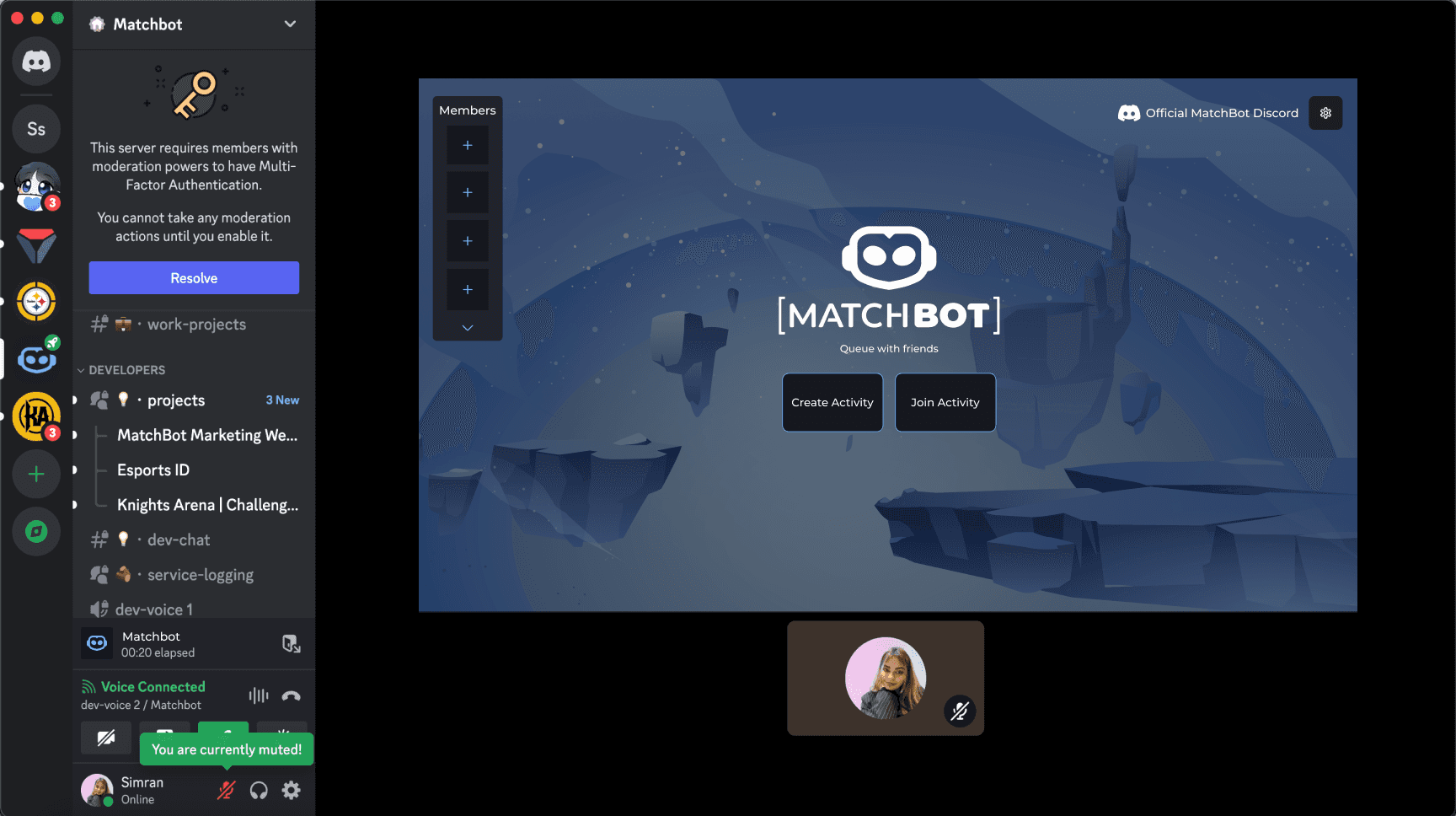
Instead of forcing a solution that wasn’t ready, we took a more agile approach. We created a simple interim page that redirected users to our Discord server, where they could test the product, provide feedback, and engage with the community. This not only made the experience more manageable for our team but also turned our users into active participants in the product journey.
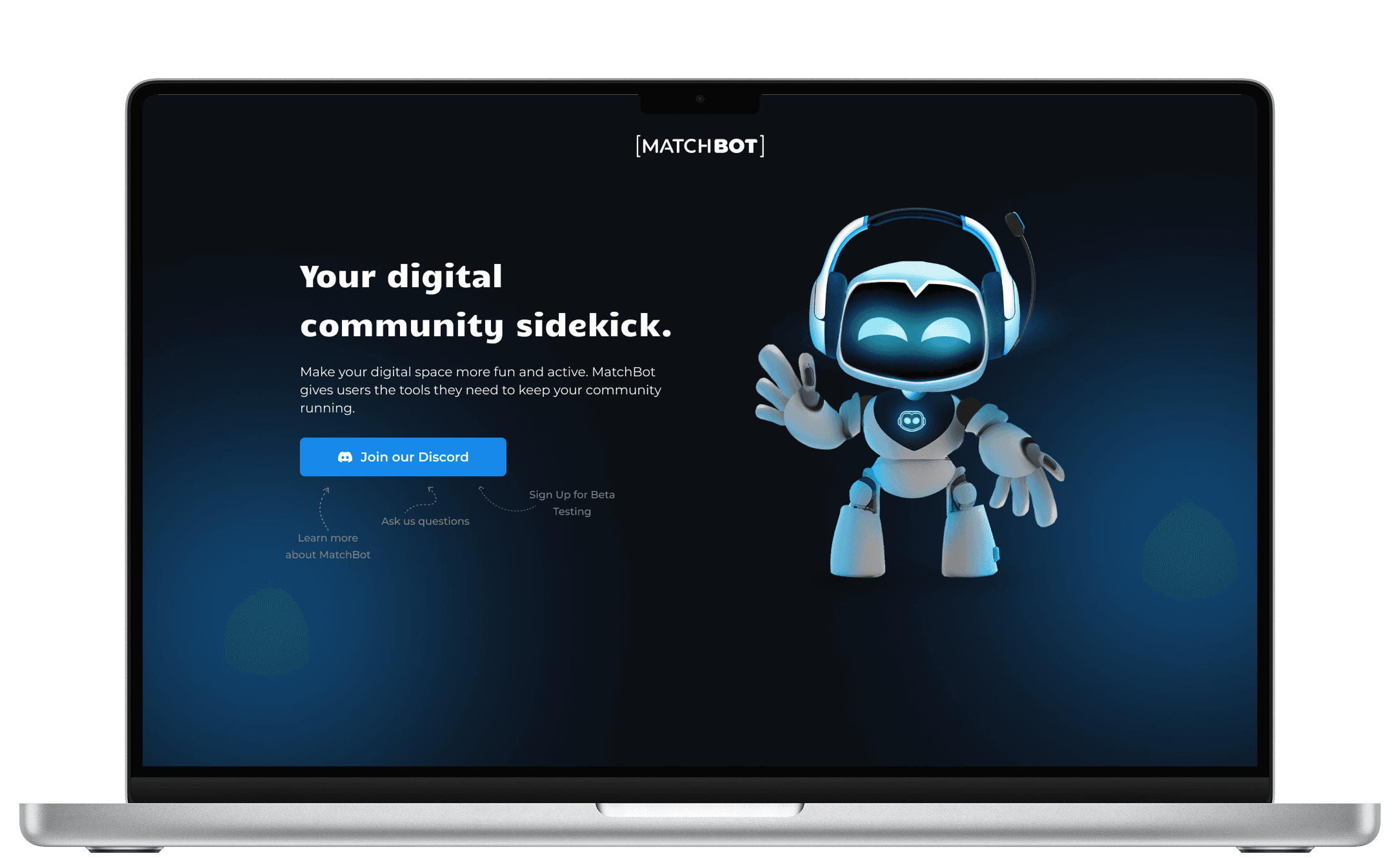
Instead of forcing a solution that wasn’t ready, we took a more agile approach. We created a simple interim page that redirected users to our Discord server, where they could test the product, provide feedback, and engage with the community. This not only made the experience more manageable for our team but also turned our users into active participants in the product journey.

Instead of forcing a solution that wasn’t ready, we took a more agile approach. We created a simple interim page that redirected users to our Discord server, where they could test the product, provide feedback, and engage with the community. This not only made the experience more manageable for our team but also turned our users into active participants in the product journey.

Reduced Complexity

Old unrefined version

New simplified version

Design System
Design System
Design System

The design system played a crucial role in ensuring consistency and efficiency throughout the project. It allowed us to iterate quickly, maintain a cohesive visual language, and scale the product seamlessly.

Figma’s variable features were especially useful, enabling us to implement both light and dark modes with ease.

The design system played a crucial role in ensuring consistency and efficiency throughout the project. It allowed us to iterate quickly, maintain a cohesive visual language, and scale the product seamlessly.

Figma’s variable features were especially useful, enabling us to implement both light and dark modes with ease.

The design system played a crucial role in ensuring consistency and efficiency throughout the project. It allowed us to iterate quickly, maintain a cohesive visual language, and scale the product seamlessly.

Figma’s variable features were especially useful, enabling us to implement both light and dark modes with ease.

Key elements of our design system


  • Core UI Components: Buttons, text fields, checkboxes, tooltips, modals, pagination

  • Navigation & Structure: Navbars, sidebars, tabs, search bars, accordions

  • Visual Elements: Colors, typography, badges, icons, flags, progress bars
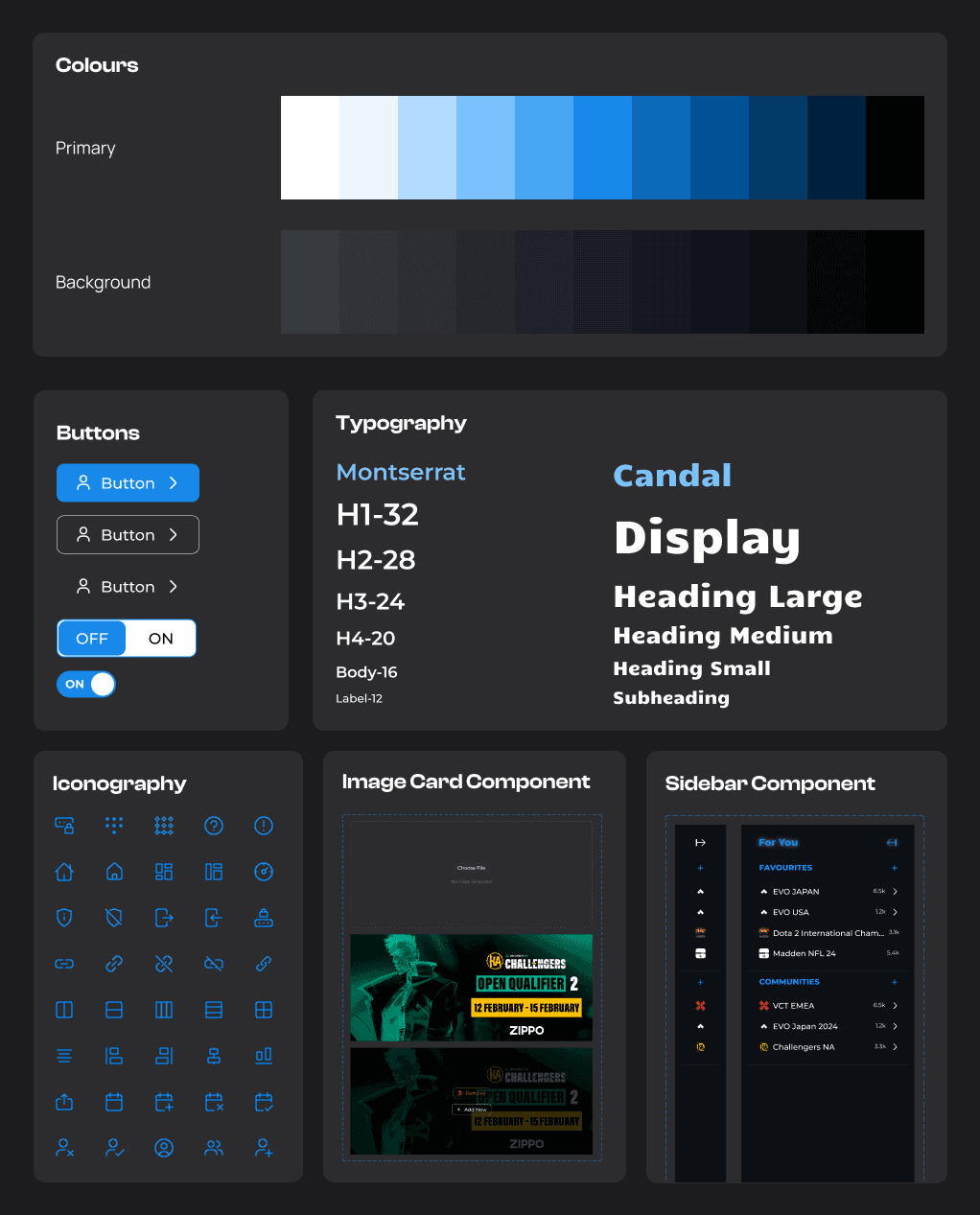

Key elements of our design system


  • Core UI Components: Buttons, text fields, checkboxes, tooltips, modals, pagination

  • Navigation & Structure: Navbars, sidebars, tabs, search bars, accordions

  • Visual Elements: Colors, typography, badges, icons, flags, progress bars
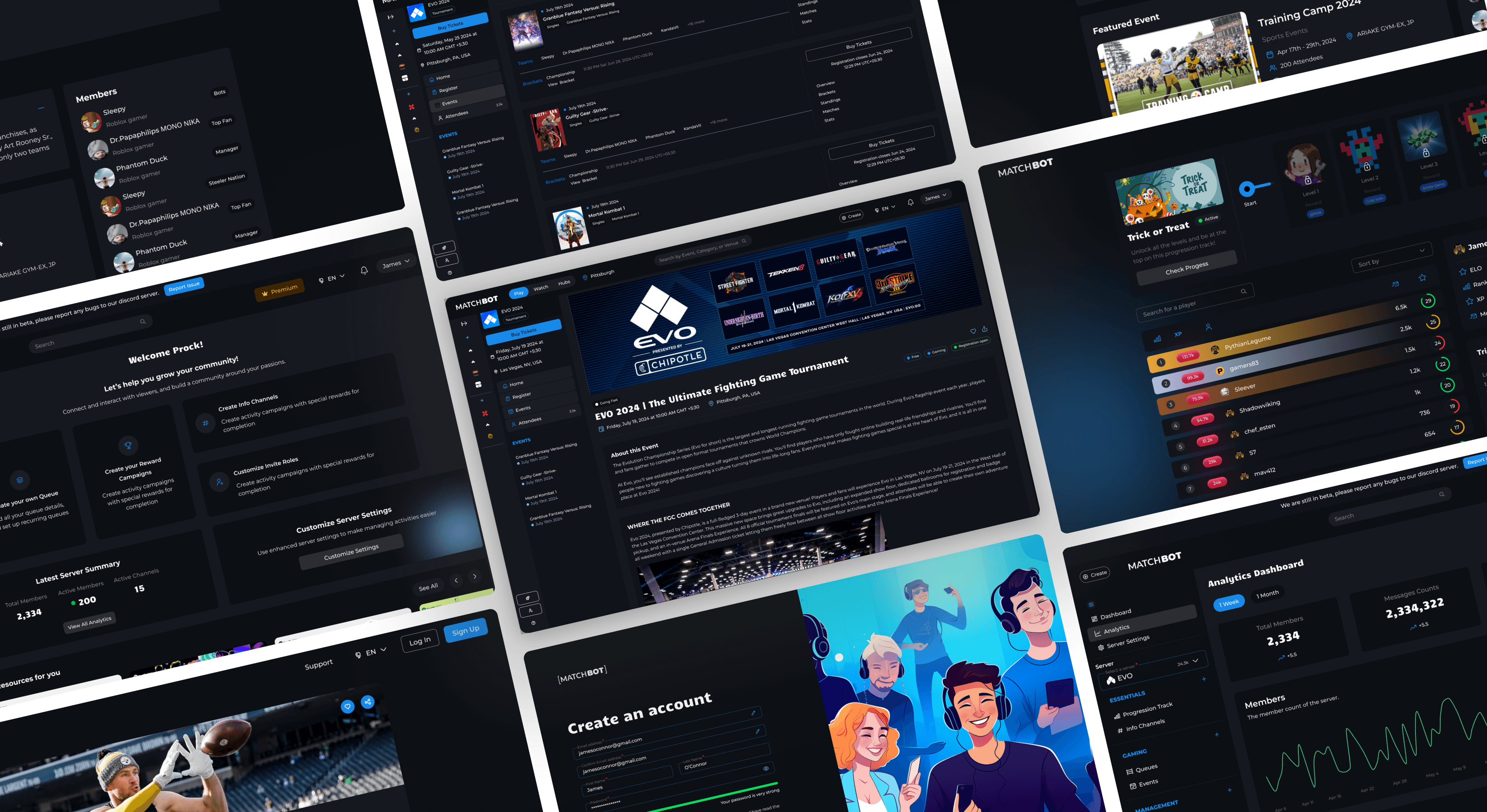

Key elements of our design system


  • Core UI Components: Buttons, text fields, checkboxes, tooltips, modals, pagination

  • Navigation & Structure: Navbars, sidebars, tabs, search bars, accordions

  • Visual Elements: Colors, typography, badges, icons, flags, progress bars


Nissan GTR
Nissan GTR
Nissan GTR
Nissan GTR
Results and impact
Results and impact
Results and impact

Although Matchbot wasn’t fully launched due to unforeseen circumstances, our design process still yielded valuable insights and potential impact.

Although Matchbot wasn’t fully launched due to unforeseen circumstances, our design process still yielded valuable insights and potential impact.

Although Matchbot wasn’t fully launched due to unforeseen circumstances, our design process still yielded valuable insights and potential impact.

Projected Impact

Had Matchbot been fully launched, we estimated that:
Event participation could increase by 20-15% based on improved discoverability and streamlined registration.
Community engagement would grow, as organizers could build and manage their player base more effectively.
The reduction in manual processes would save organizers significant time, allowing them to focus on delivering better experiences.

What I Learned

This project challenged me to think beyond just design—it was about strategy, scalability, and real business impact. I learned how to balance iteration with decisiveness, ensuring that every design choice provided tangible value. It also reinforced the importance of prioritization: understanding what needs to be built now versus what can evolve later. Additionally, I sharpened my ability to advocate for design decisions, aligning stakeholders on solutions that not only looked good but made a measurable difference.

Final Thoughts
Final Thoughts
Final Thoughts

Working on Matchbot was a deep dive into the challenges of esports event management—and a defining moment in my growth as a designer. While the platform didn’t fully launch, the experience taught me invaluable lessons about product strategy, collaboration, and designing for scalability.


I honed my ability to streamline complex user flows, advocate for simpler, more intuitive experiences, and think beyond just the UI—considering the business impact and technical feasibility of our solutions.


More importantly, I stepped into moments of leadership, driving discussions, identifying opportunities for improvement, and ensuring our designs aligned with real user needs.


As I move forward, I’m excited to apply these learnings to future projects, crafting experiences that not only look great but truly empower users and drive impact.
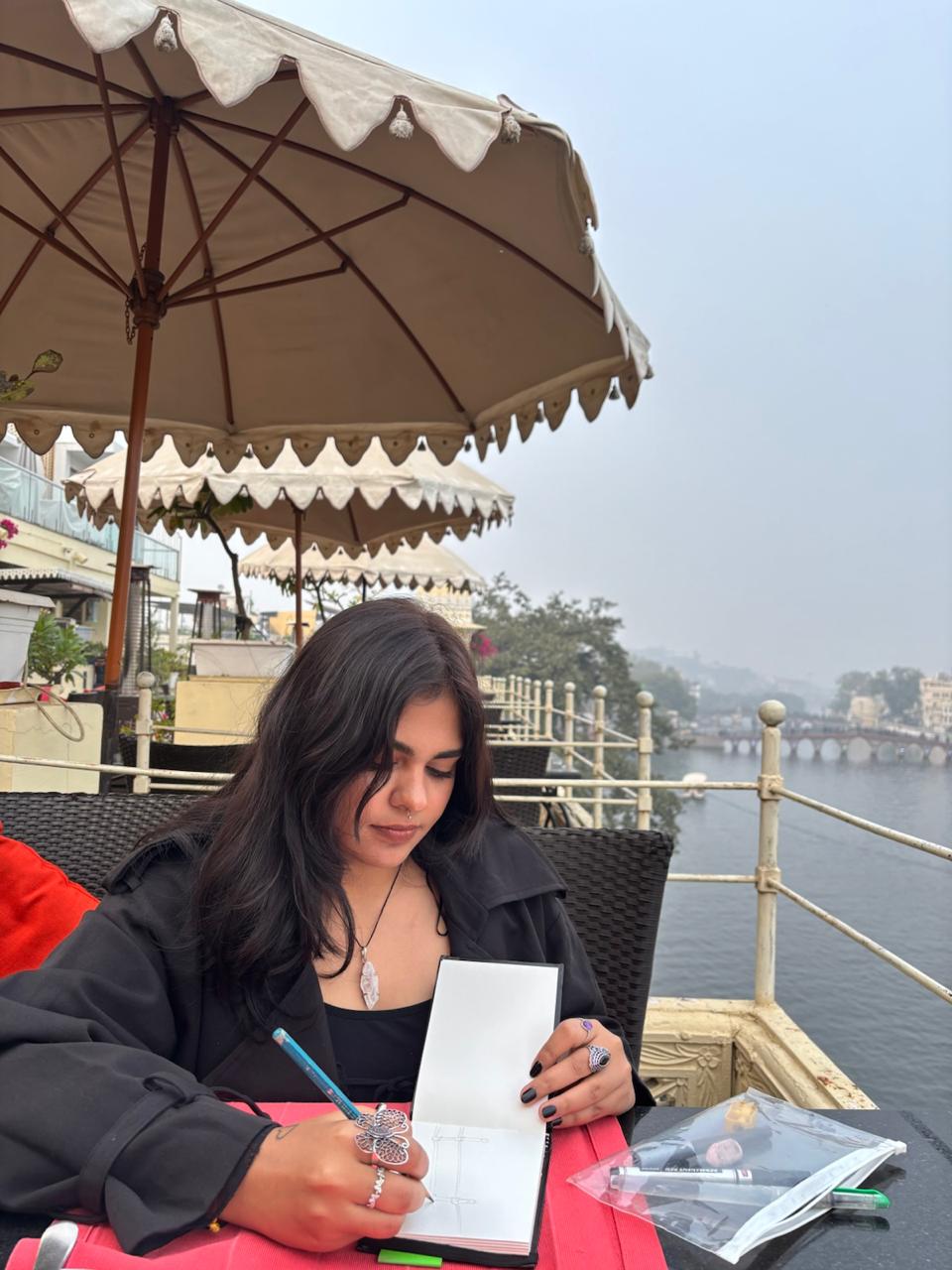
Working on Matchbot was a deep dive into the challenges of esports event management—and a defining moment in my growth as a designer. While the platform didn’t fully launch, the experience taught me invaluable lessons about product strategy, collaboration, and designing for scalability.


I honed my ability to streamline complex user flows, advocate for simpler, more intuitive experiences, and think beyond just the UI—considering the business impact and technical feasibility of our solutions.


More importantly, I stepped into moments of leadership, driving discussions, identifying opportunities for improvement, and ensuring our designs aligned with real user needs.


As I move forward, I’m excited to apply these learnings to future projects, crafting experiences that not only look great but truly empower users and drive impact.


Working on Matchbot was a deep dive into the challenges of esports event management—and a defining moment in my growth as a designer. While the platform didn’t fully launch, the experience taught me invaluable lessons about product strategy, collaboration, and designing for scalability.


I honed my ability to streamline complex user flows, advocate for simpler, more intuitive experiences, and think beyond just the UI—considering the business impact and technical feasibility of our solutions.


More importantly, I stepped into moments of leadership, driving discussions, identifying opportunities for improvement, and ensuring our designs aligned with real user needs.


As I move forward, I’m excited to apply these learnings to future projects, crafting experiences that not only look great but truly empower users and drive impact.


  • More Works More Works

Let'S create

TOGETHER

Based in india
Available worldwide

Product Designer

Bringing order to chaos

Let'S create

TOGETHER

Based in india
Available worldwide

Product Designer

Bringing order to chaos

Let'S create

TOGETHER

Bringing order to chaos

Let'S create

TOGETHER

Based in india
Available worldwide

Product Designer

Bringing order to chaos

Create a free website with Framer, the website builder loved by startups, designers and agencies.